
Keyboard-First Control
Manage your SSH workflow from a fast terminal UI built for quick navigation, host selection, and session launching without leaving the keyboard.
Manage your SSH workflow from a fast terminal UI built for quick navigation, host selection, and session launching without leaving the keyboard.
Keep all of your infrastructure organized in a single encrypted place where you can browse, select, and connect to hosts from one interface.
See whether a host is unknown, reachable, or unreachable before connecting so you can act faster and avoid wasted SSH attempts.
Launch interactive SSH sessions directly inside the app, reducing context switching and keeping your workflow focused.
Review host key fingerprints and trust prompts before connecting so you can verify identity instead of blindly accepting new hosts.
Run everything locally with a responsive TUI experience that keeps host management close to your terminal and under your control.
Protect stored data with optional local database encryption using SQLite + SQLCipher.
Verify server identities through fingerprint prompts to help prevent connecting to the wrong machine or accepting spoofed hosts.
Decide when to trust a host and when to reject it, giving you explicit control over connection safety instead of hidden automation.
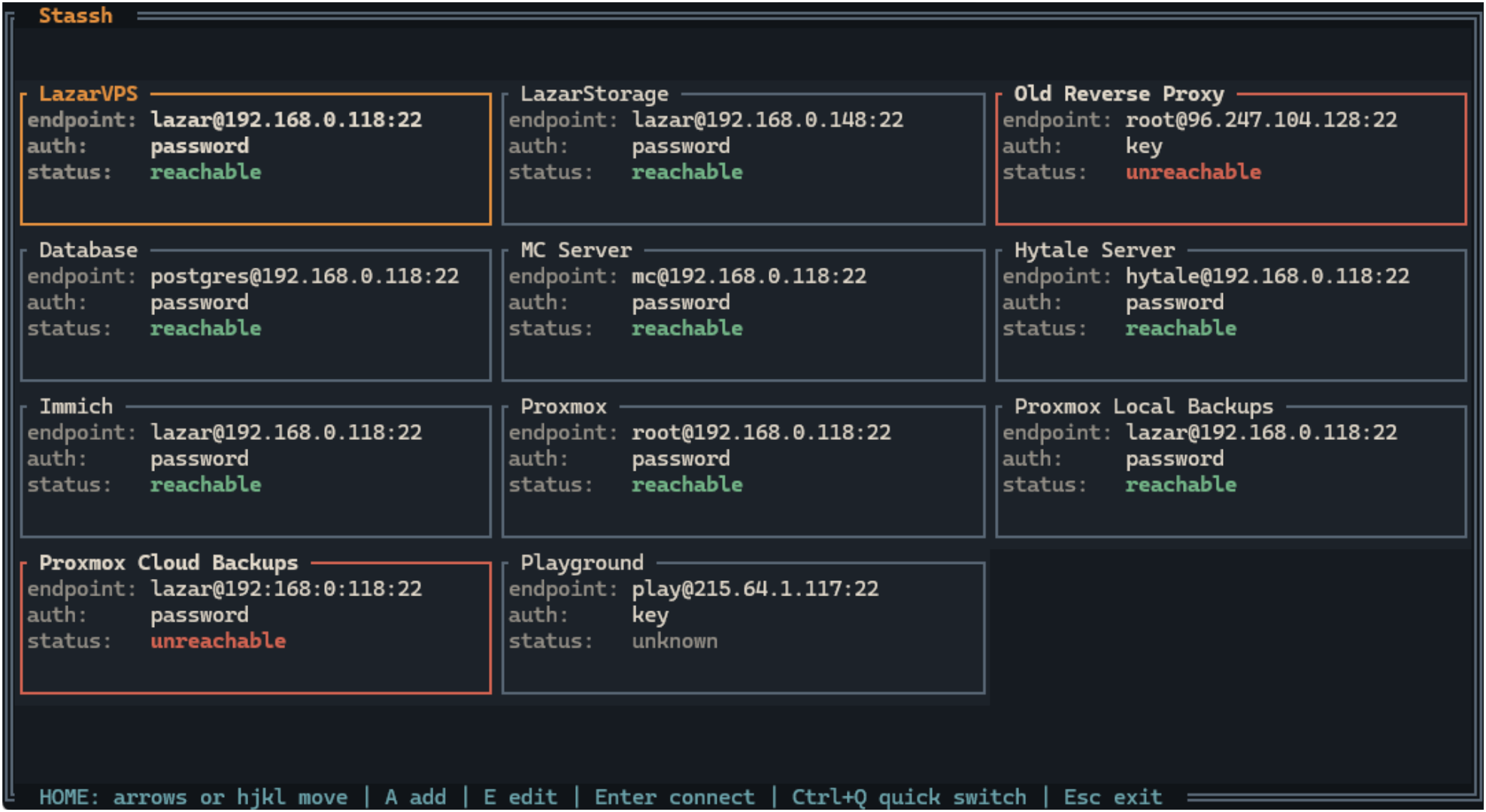
Scan host state, auth mode, and readiness from the dashboard before opening a connection.
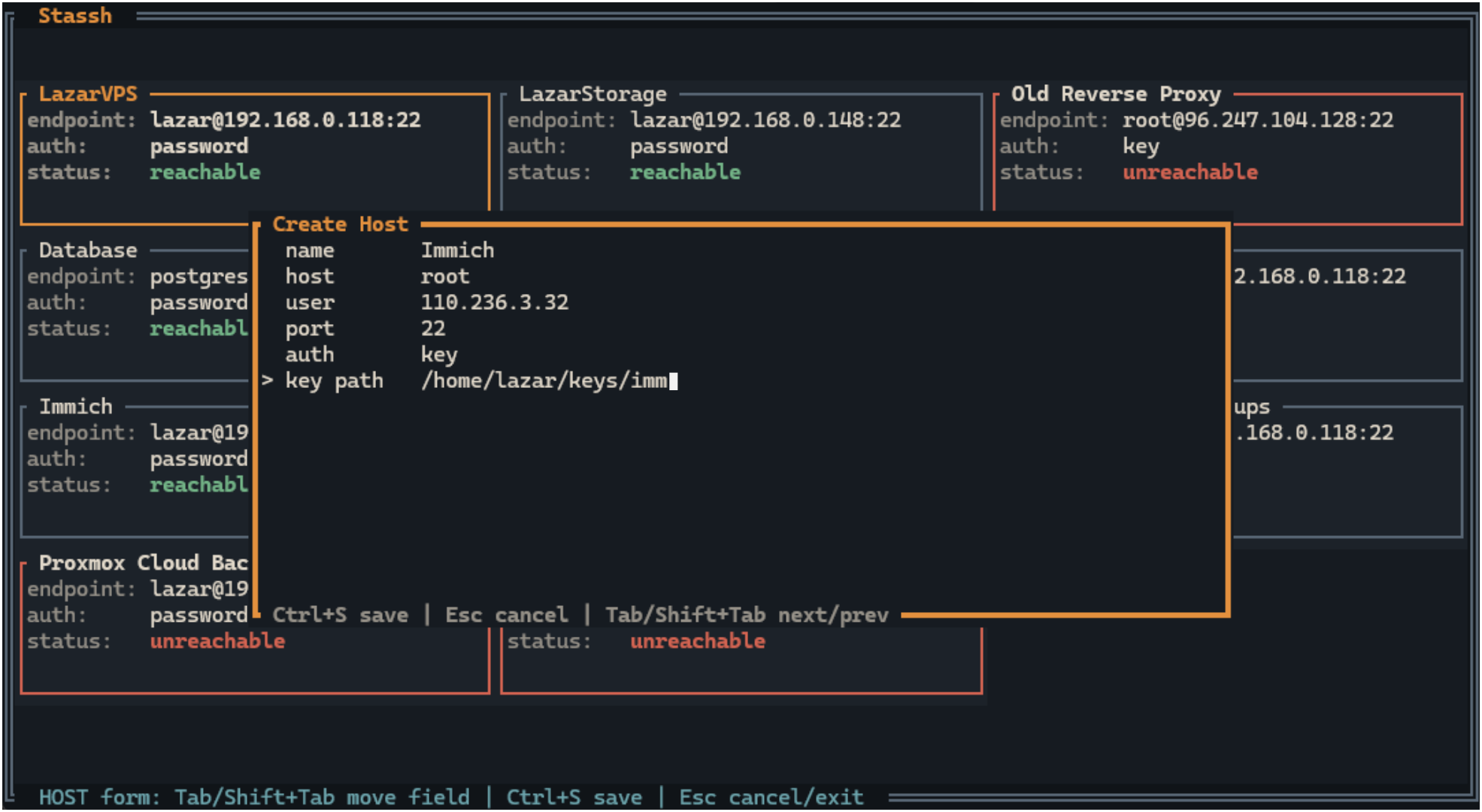
Create a new target with support for both key and password authentication.
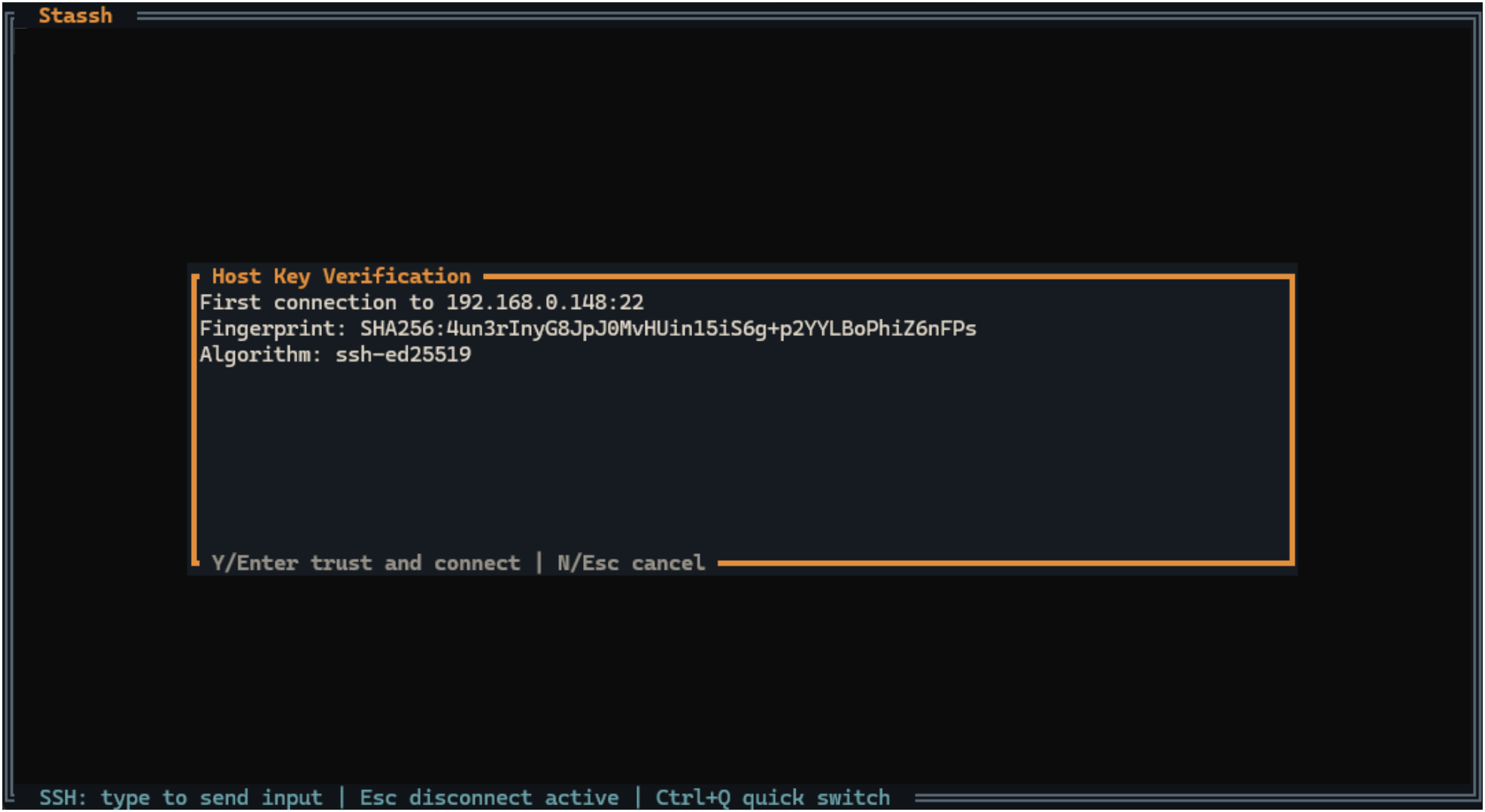
New or changed host fingerprints have to be verified before trust is stored locally.
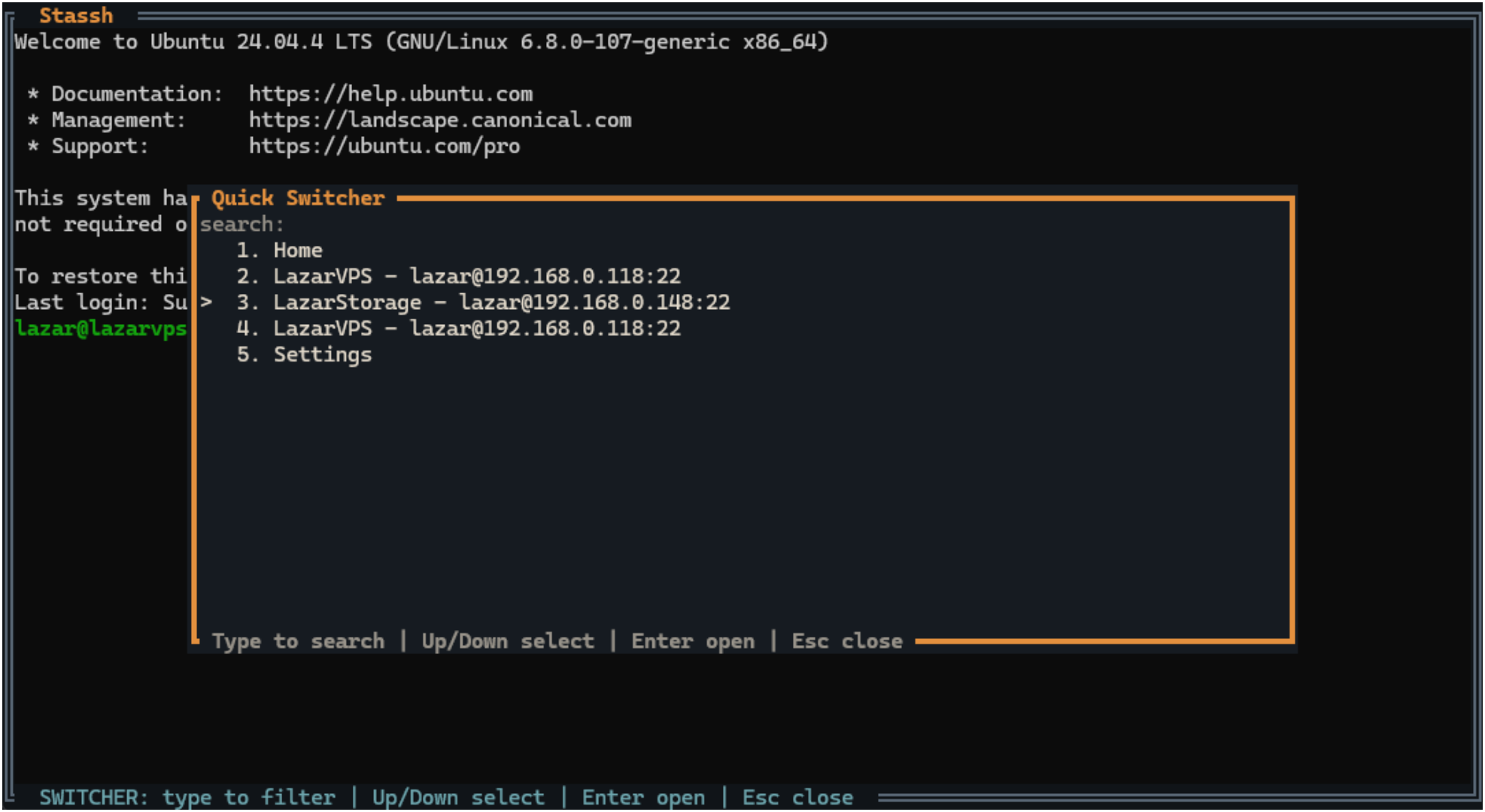
Keep multiple connections opened and switch context with no friction.
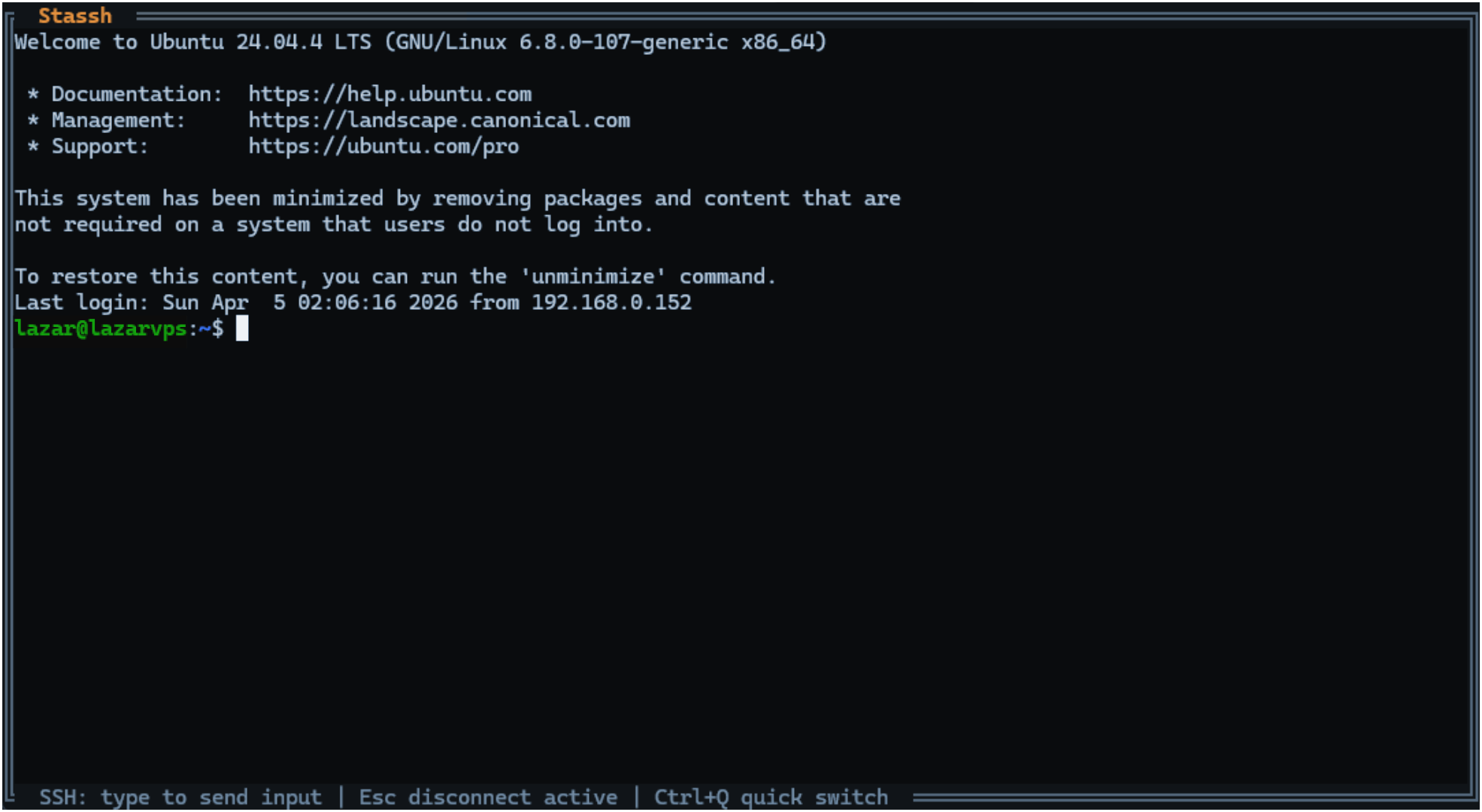
Interactive sessions keep resize, paste, and disconnect handling inside the app.
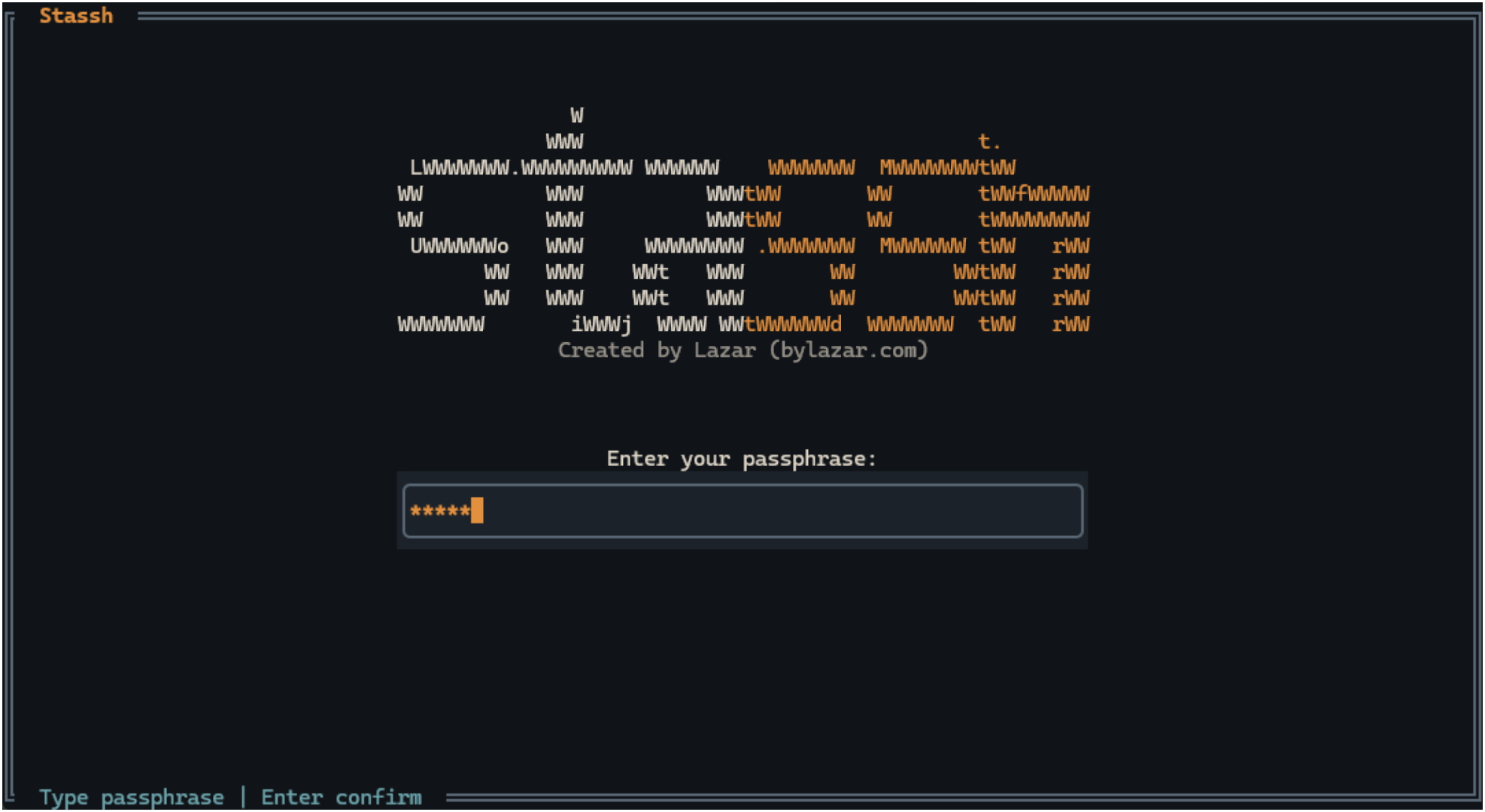
All sensitive data is encrypted and stored locally, preventing exposed credentials.
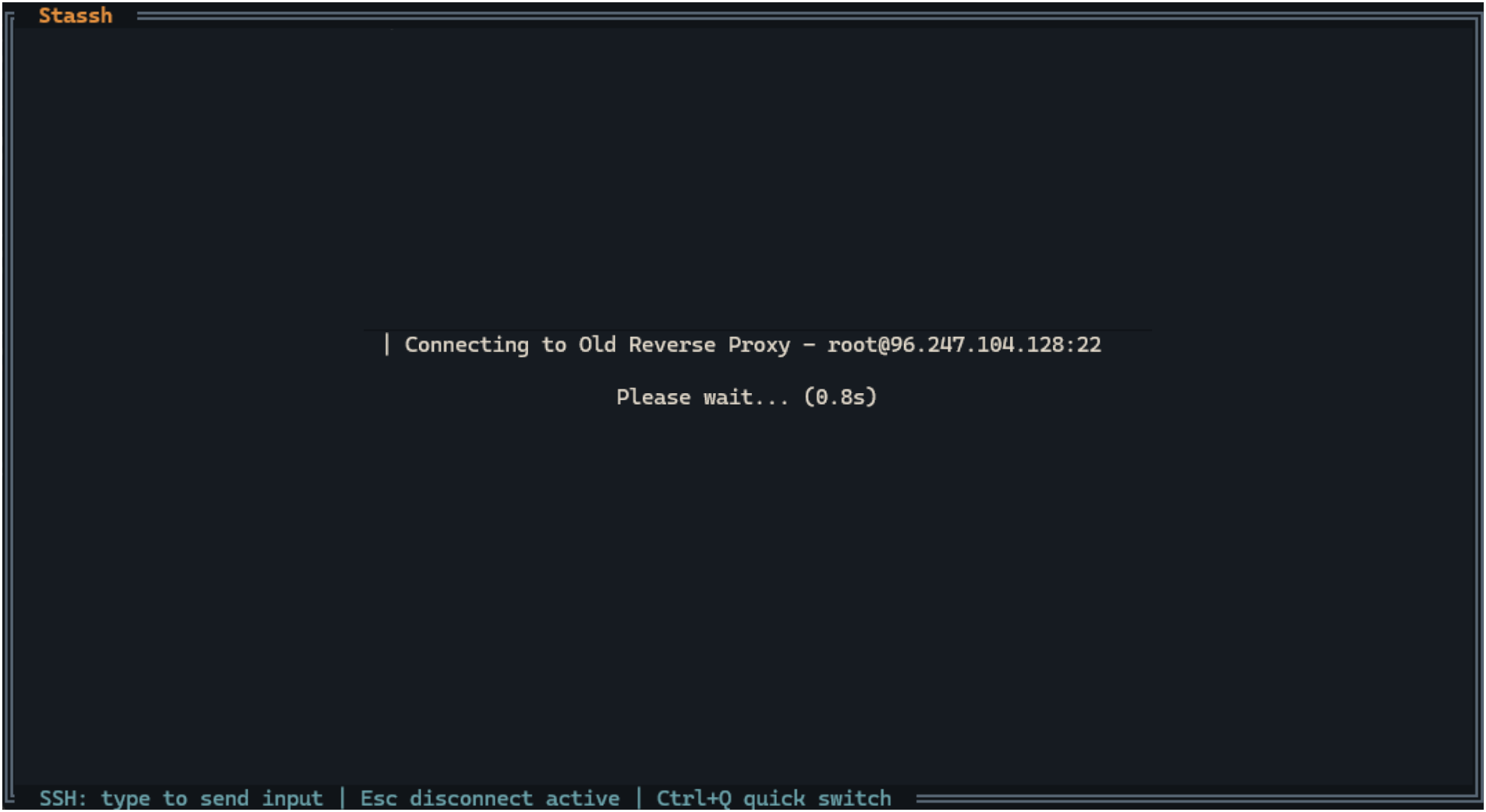
The interface stays explicit about in-flight connection state instead of hiding it.